
Many accounts
Create as many as you need and move funds between them in two clicks.
A desktop wallet for Bitcoin, Ethereum, Solana and 34 more blockchains. Send, swap and stake, with your keys kept on your own computer.
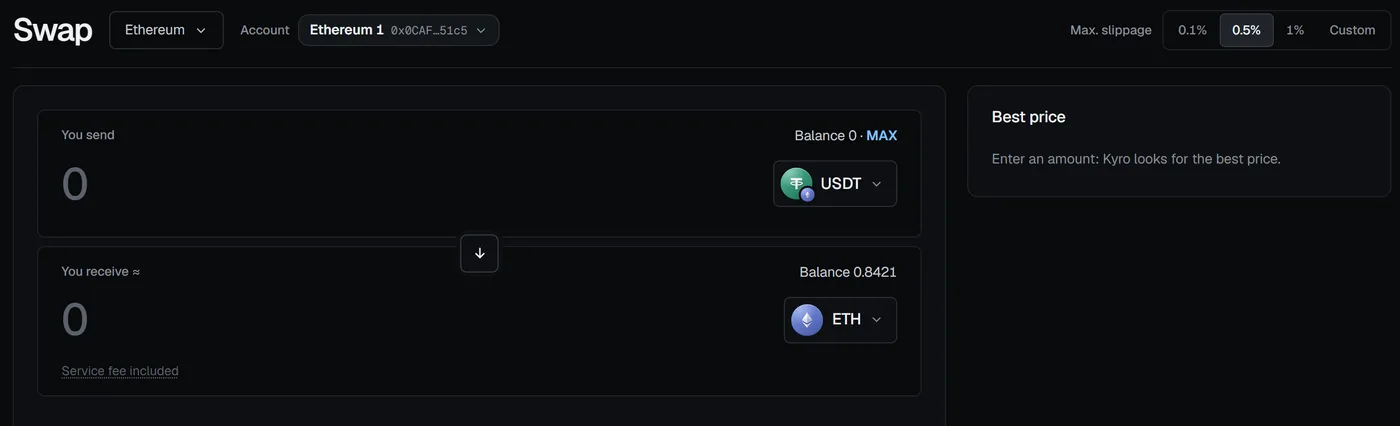
Swap
Kyro asks several providers for a quote and shows what you receive after fees. Token approvals are for the exact amount unless you change it.
How swap fees work
Send
The Rust core decodes every transaction and opens a separate system window with the amount, the recipient and the fee. Unusual transactions ask a second time.
How signing works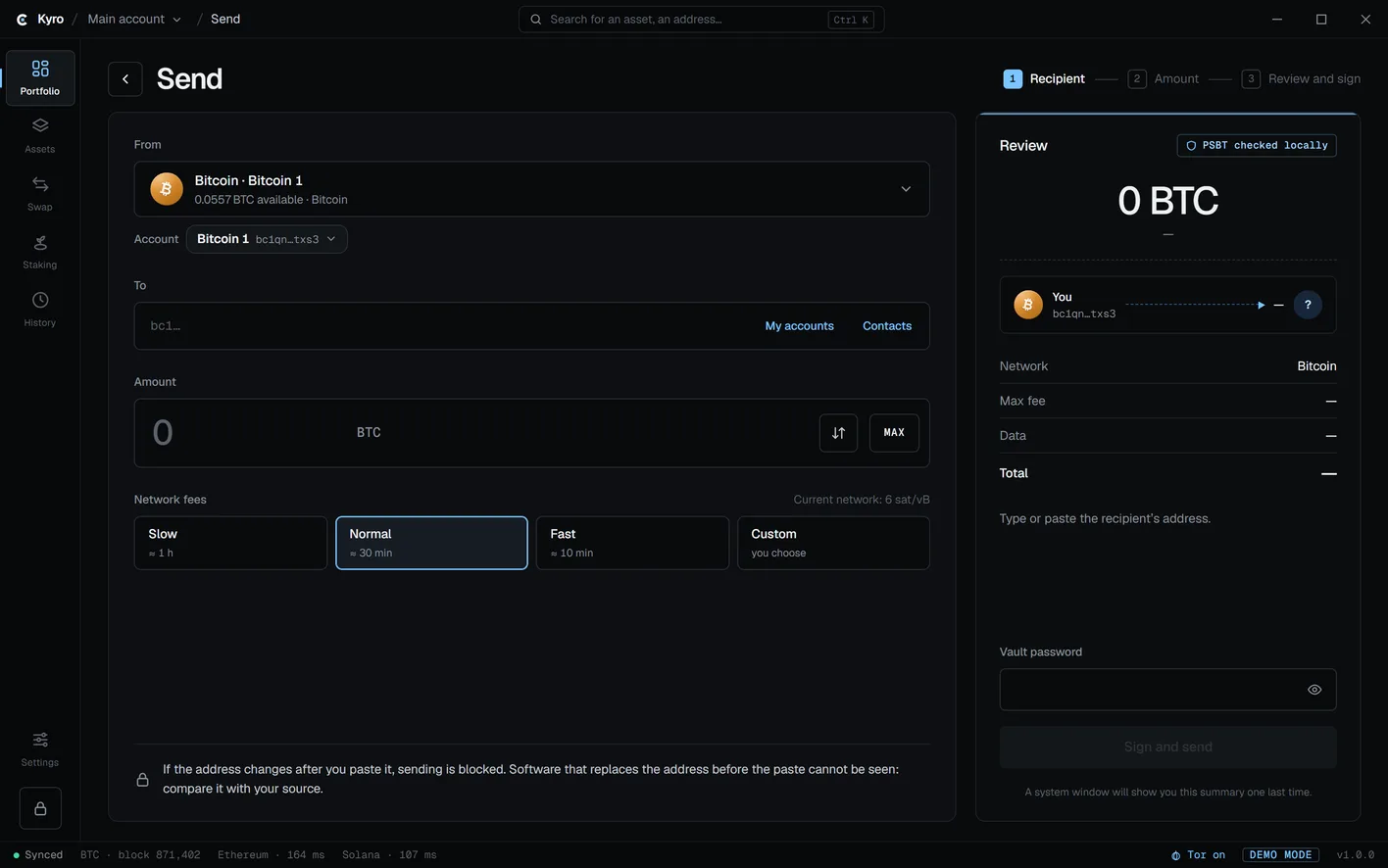
Assets
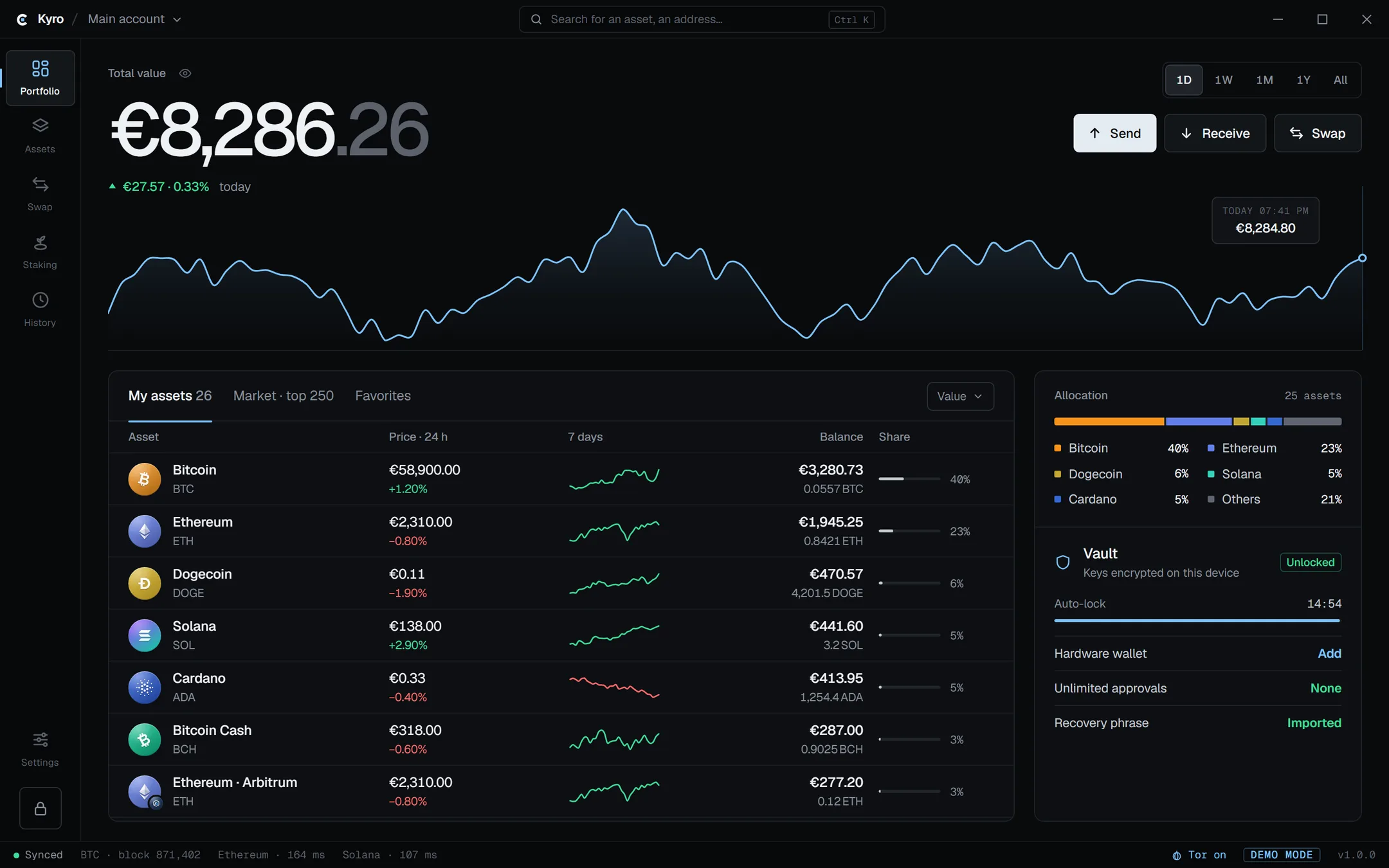
Prices, 7-day trends and balances for all your blockchains, from a single recovery phrase. Add as many accounts as you need.
Supported blockchains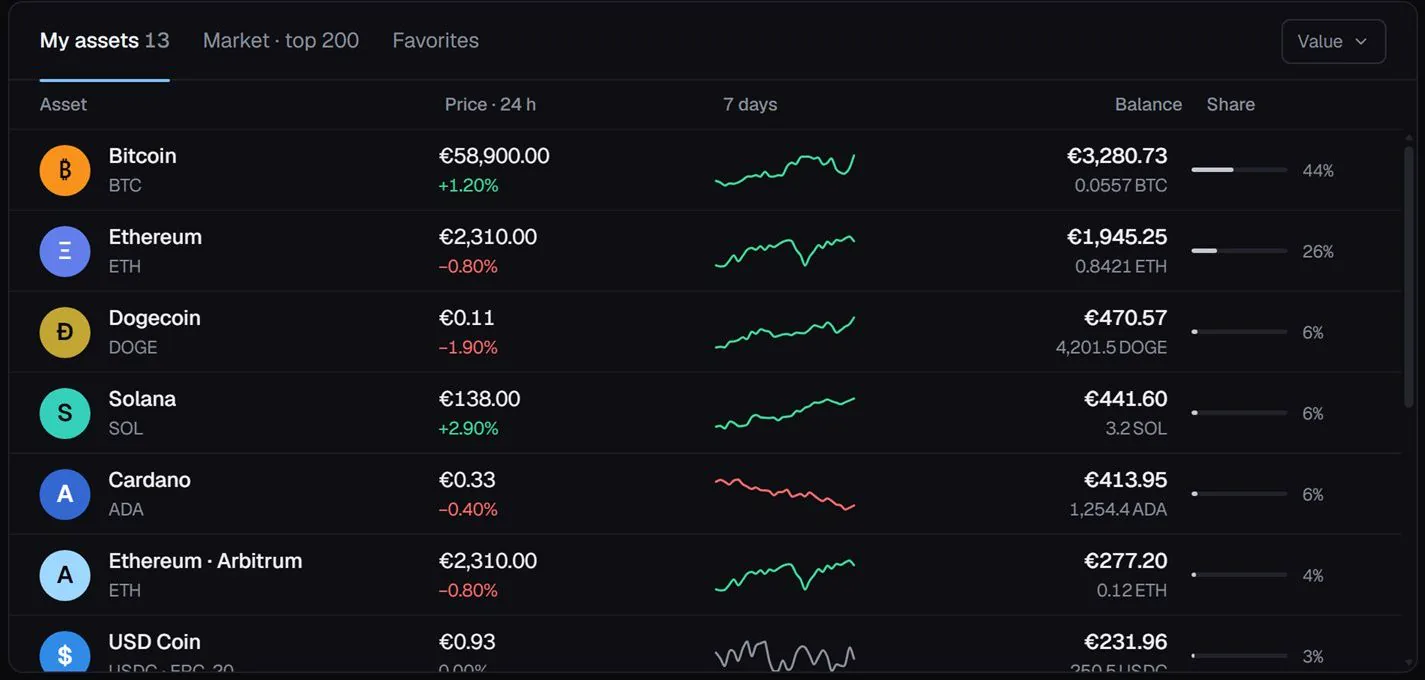
Staking
Delegate SOL, ADA and TRX to a validator, a pool or a Super Representative. Kyro takes no fee on staking.
Staking details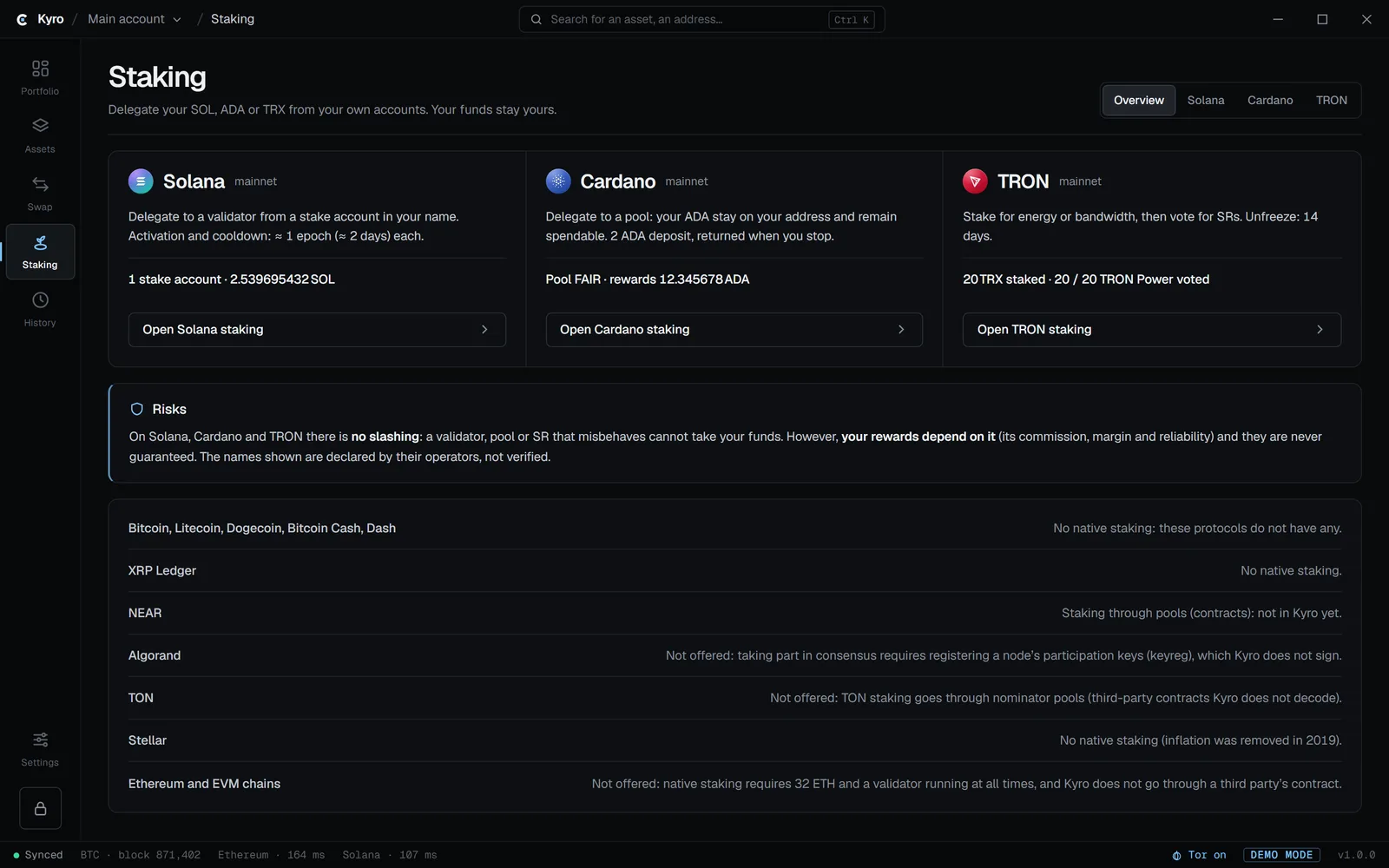
Hardware and privacy
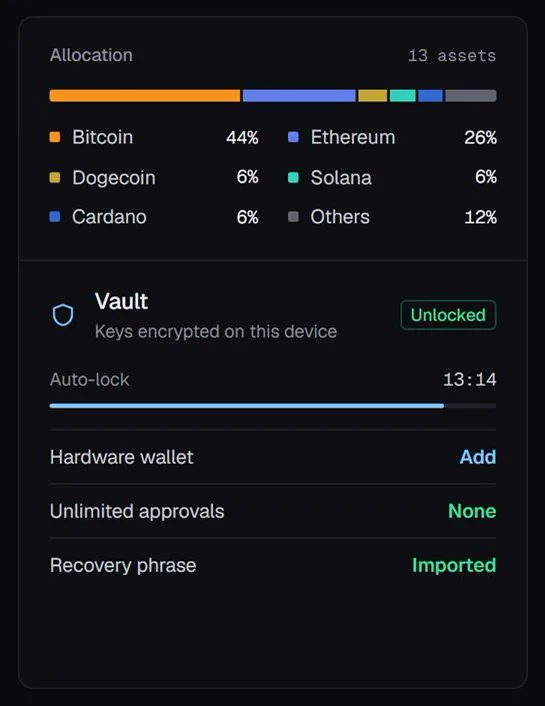
Keep keys on a hardware wallet and confirm on the device. Network traffic goes through the built-in Tor client, and the status bar shows when it is on.
Privacy and network
Features
Small things that matter when you hold crypto yourself.
Create as many as you need and move funds between them in two clicks.
Ledger and Trezor, including Trezor Safe 7.
Address-poisoning alerts, clipboard checks and exact token approvals.
Built-in Tor, no telemetry. Use your own nodes if you like.
Getting started
Install Kyro with one command, or download it from GitHub for Windows, macOS or Linux. Check the SHA-256 if you download the file yourself.
Make a new 12 or 24-word recovery phrase, or import yours. It is encrypted with your password, on your computer.
Every transaction opens a system window that shows what you are signing. Nothing is sent until you confirm.
Security
Kyro is open source. Anyone can read the code and build the app themselves.
Blockchains
All in the same wallet, from the same recovery phrase.
Swaps from 0.7%, built into the rate you see.
Fees
Kyro is free. Only swaps carry a fee, built into the rate.
Version 1.0.0 · Free · Windows, macOS and Linux
Windows · PowerShell
irm https://kyrowallet.com/install.ps1 | iexmacOS and Linux · Terminal
curl -fsSL https://kyrowallet.com/install.sh | shDownloads the latest release from GitHub, checks its SHA-256 against SHA256SUMS, then installs it. The scripts are open source: install.ps1 · install.sh (website/src).
Or download the file
Also: .msi · .deb · SHA256SUMS · Opening a downloaded file · Release notes
Questions
Yes. Kyro is free to download and use, and open source under GPL-3.0-or-later. Sending, receiving and staking cost only the network fee. Swaps from 0.7%, built into the rate. Fee details.
No. Kyro is non-custodial. Your keys are created and encrypted on your computer. There is no account and no server holding your funds, so nobody, including us, can freeze, move or recover them.
Yes: Ledger and Trezor, including Trezor Safe 7. Supported on Bitcoin, Ethereum, BNB Chain, Polygon, Arbitrum, Optimism, Base, Avalanche, Cronos, Mantle, Sonic, Flare, Kaia, Gnosis, HyperEVM, Sei, Conflux, Solana, TRON, Cardano, XRP Ledger, Litecoin, Dogecoin, Bitcoin Cash, Dash, Stellar, NEAR, Sui, TON, Cosmos Hub, Aptos, Algorand, Hedera and Zcash.
The full source is on GitHub under GPL-3.0-or-later. An internal security review has been done. No external audit has been published yet.
Support
Kyro is free. Donations help keep it going. You can also sponsor on GitHub.
| Network | Address | Action |
|---|---|---|
| Bitcoin | bc1qta8efdy72ge9qy8yj8s0ckwar0lg44ggwnaard | |
| Ethereum & EVM | 0x86cD9af8067fF5e0001c709a550cD62b5e968B44 | |
| Solana | ptsbLdrhmEfC2eQ9gj4aieF4irdhQqYzK1fdNwHBZcM | |
| Litecoin | LWePW8iwa8RxxYB6av4KBriBNkRgLWvNyw | |
| Dogecoin | DKCSjtypvD9qg3R175YdijmwvKh5FnAU14 | |
| TRON | TT9j25bsbBAgxCDEXTN1cpjcD54Jz51pES | |
| Cardano | addr1qy9d3jctafj2cgfm8sgllfjkrxrgxn9mz9dy0qzxuwscx6c2mr9sh6ny4ssnk0q3l7n9vxvxsdxtky26g7qydcapsd4sux3dj3 |